
TL;DR: yes, when you verify it
The PariPulse Android APK is safe when it comes from paripulse.com (or a verified mirror redirect) and its SHA-256 hash matches the value published on the download page. It is not on Google Play because Play restricts real-money betting apps, so the APK is the official channel. Risk comes from copies on Telegram, third-party APK sites and YouTube links, which can carry malware. Follow our step-by-step install guide for the download path, and use the checks below before you open the file.
Download only from the official source
Start every download from a bookmark to paripulse.com or the app page, never from a search ad, a forwarded link or a QR code you did not generate. Real-money betting APKs are a favourite disguise for malware because users expect them to live outside Google Play. If a page offers a 'PariPulse APK' on a domain you do not recognise, asks you to disable Play Protect permanently, or bundles a second app, close it. The official download is a single ~22 MB file.
Verify the SHA-256 hash
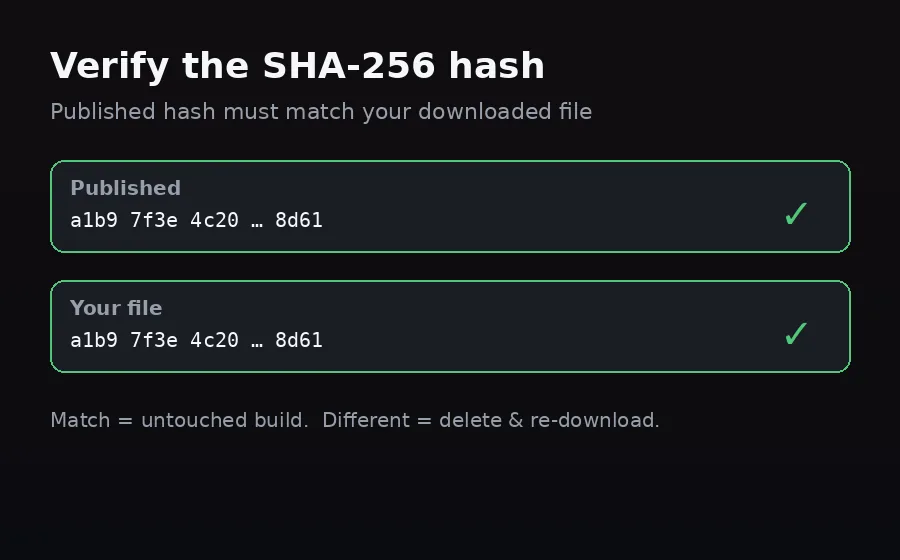
PariPulse publishes the APK's SHA-256 hash on the download page. After downloading, open a hash checker (e.g. Hash Droid from Google Play), load the file and compare the result to the published hash. An exact match means the build is unmodified. A different hash means a corrupted download or a tampered file — delete it and download again. This 60-second check is the single most reliable way to confirm an APK is genuine, especially on public WiFi.
Real vs fake permissions
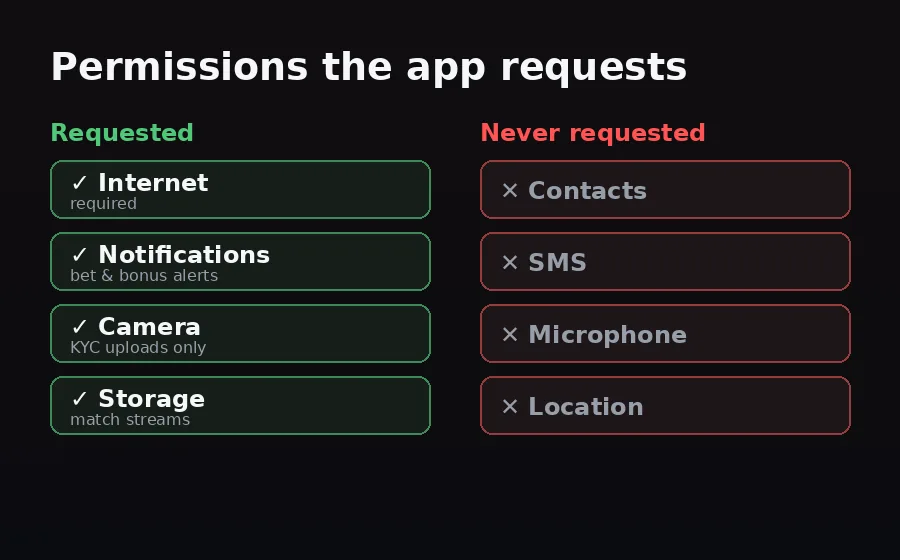
A genuine PariPulse build requests only Internet, Notifications, Camera (for KYC document upload) and Storage. It never asks for SMS, contacts, microphone or location. If a 'PariPulse' app requests any of those — or asks to become a device admin or accessibility service — it is a fake. Uninstall it immediately and re-download from paripulse.com. After install you can review granted permissions in Android Settings → Apps → PariPulse → Permissions.
What to do if something looks wrong
If the hash does not match, the app demands unusual permissions, or you were prompted to install a 'codec', 'updater' or second app, stop and remove it: uninstall the APK, clear your Downloads folder, and run a Play Protect scan (Play Store → profile → Play Protect → Scan). If you entered your PariPulse password into anything that turned out fake, change it from a clean device and enable two-factor login. Then download the official build again and verify the hash before opening it.
Disclosure & responsible play
PariPulse Affiliate earns commission on referrals; this does not affect our security guidance, which is the same advice we would give a friend. Bet for entertainment, not income, and set in-app deposit limits and session timers. 18+ only. Help: BeGambleAware.org. See our responsible gambling page.